
How to Simplify Your Smart Home Setup
Most smart home setups that need simplifying were not built complicated from the start. They became complicated gradually — one device at a time, one app at a time, one automation that sort of worked but was never quite right. The result is a home that only one person in the household understands, where things regularly stop working for no obvious reason, and where the technology that was supposed to reduce friction has started generating its own. This guide works through that situation, step by step.
The Right Starting Point: Simplification, Not Removal
The first instinct when a smart home feels overcomplicated is to remove things. And sometimes that is the right answer — a device that has been broken for six months, an automation that has never worked reliably, an app for a platform nobody in the household uses. But indiscriminate removal is not the same as simplification. The goal is not the smallest possible smart home. It is the most reliably functioning one for the people who actually live in it.
Simplification means:
- Removing what does not work or what nobody uses.
- Consolidating what works well but is scattered across too many apps or platforms.
- Establishing clear, simple conventions — naming, notification settings, automation structure — that make the remaining devices easy for everyone in the household to understand and use.
"A smart home that five people in the household can operate is simpler than a smart home that only one person can operate, regardless of how many devices it contains."
→ The philosophical case for doing less with technology, not more: → Minimalist Smart Homes: Less Tech, More Peace
Disclaimer & transparency
This article was created with the assistance of AI tools and assembled and edited by a human editor. While care has been taken to ensure accuracy, I cannot personally verify every technical detail. The information provided here is intended as a general guide, not as professional or technical advice. Always verify compatibility with your specific devices and systems before purchasing or installing anything described in this article.
The images used in this article may be AI-generated and are intended for inspiration and illustrative purposes only. They do not necessarily depict the actual products linked or recommended in the article. Where possible, I have searched for similar or comparable products that match the items, features or ideas shown in the images. Please always refer to the linked product listing for the actual product, specifications and appearance.
Affiliate disclosure
This site participates in the Amazon Associates Programme. If you purchase through some of the links, at no extra cost to you, I may earn a small commission. I only recommend products I believe are genuinely suitable for the use case described. Not all links on this site are affiliate links or sponsored.
The Audit: Taking Inventory Before Changing Anything
The most effective simplification starts with a complete, honest inventory of what is currently installed and how it is actually being used. This audit takes one focused session — perhaps an hour — and provides the basis for every subsequent decision.
The device audit
- List every smart device in the home. Include devices that are currently not working. This list typically reveals several devices that were purchased, installed, and forgotten.
- For each device, note: which app controls it, whether it is connected to an ecosystem (Alexa, Google Home, HomeKit), whether it has any automations associated with it, and how often a household member actively uses it.
- Mark devices in one of three categories: active and working (keep), active but problematic (fix or remove), inactive (remove).
The app audit
On the primary household phone, count the smart home apps. For each app, ask: how often is this opened? If the answer is ‘rarely’ or ‘only when something stops working’, the devices it controls should either be migrated to the primary ecosystem app, or removed.
The automation audit
List every automation that is currently active. For each, ask: is it running reliably? Does everyone in the household know it exists? Does it produce the right outcome every time? Any automation that cannot be answered ‘yes’ to all three is a candidate for fixing or removing.

Consolidate: Establishing One App for Daily Control
After the audit, the single most impactful simplification step for most households is consolidating daily control into one ecosystem app. Not eliminating manufacturer apps — they are still needed occasionally — but ensuring that the app used every day for lights, temperature, and automation status is the same app for everyone in the household.
The consolidation priority
Start with the devices used most frequently, in the rooms where the household spends the most time. Living room and bedroom lighting, the thermostat, and the main entry plug or switch. Connect these to the primary ecosystem first. Devices in less-used spaces — a rarely occupied guest room, a storage area — can be migrated later or left in their manufacturer apps.
The single daily-use app does not need to surface all the advanced features of every device. It needs to handle: turning things on and off, running the main automations, and showing whether everything is working. That is typically available from Alexa, Google Home, or Apple Home for any ecosystem-compatible device.
→ How to choose between Alexa, Google Home, and Apple HomeKit as the primary platform: → Choosing the Right Smart Home Ecosystem
→ Whether one system or multiple apps is the right structure for your household: → One System vs Multiple Apps (What Works Best?)

Naming and Notifications: The Two Settings That Make Everything Easier
Once devices are consolidated into one primary app, two specific configuration steps reduce friction more reliably than almost anything else: establishing consistent device names, and turning off every notification that is not a genuine security or safety alert.
Device naming: one convention, applied consistently
Voice commands in any ecosystem depend entirely on device names. If the living room floor lamp is named ‘Living Room Lamp’ in the Alexa app but ‘Floor Light’ in the Hue app and ‘Lounge Lamp’ in someone else’s phone, voice commands will be inconsistent and frustrating. The fix is straightforward but requires deliberate effort: choose a naming convention and apply it to every device.
The recommended convention is Room + Type: ‘Living room lamp’, ‘Bedroom ceiling’, ‘Kitchen plug’, ‘Hallway motion’. This produces names that are unambiguous when spoken as voice commands, easy to find in the app, and immediately understood by any household member without needing explanation.
Notifications: turn off everything that is not security-critical
Default notification settings across smart home apps are designed to surface everything — status confirmations, automation success messages, device health reports, battery levels, product promotions. For a calm home, this is the opposite of what is needed. The only notifications worth keeping are:
- Doorbell press and camera motion at entry points when no one is home.
- Water or smoke sensor alerts.
- A device that has been offline for more than 24 hours and affects daily automations.
- Battery below a threshold low enough to cause imminent failure (15% or below).
Everything else — automation success confirmations, routine status updates, manufacturer promotional content, device health reports when everything is functioning correctly — should be turned off. The home should communicate through its outcomes, not through its notifications.

Physical Controls: The Interface Everyone Can Use
One of the most underrated simplification steps in a smart home is adding physical controls — wireless buttons or scene switches — at the key points where household members interact with the home most frequently. Physical controls provide a fallback that does not require knowing the device’s name, opening an app, or remembering a voice command. They work for children, for guests, and for household members who prefer not to engage with the technology layer of the home.
Where physical controls matter most
- Beside the main entrance: a single ‘leaving home’ button that triggers the away mode (lights off, heating down). The simplest possible departure routine — one press, the home knows you are gone.
- Beside the bed: a ‘good night’ button that runs the bedtime automation. Replaces the Good Night voice command for household members who find voice commands in the bedroom intrusive.
- At the top and bottom of stairs, in hallways: a physical button that overrides any automation for that space, giving household members an immediate physical control that does not require the app or voice.
Physical buttons also address the most common smart home frustration in multi-person households: the automation that the technical member of the household set up, but that other household members cannot find, override, or understand. A physical button that runs a scene makes the automation accessible to everyone, not just the person who built it.
For a compact, versatile physical control button that fits flush to any surface and matches the minimal aesthetic of the images in this article:
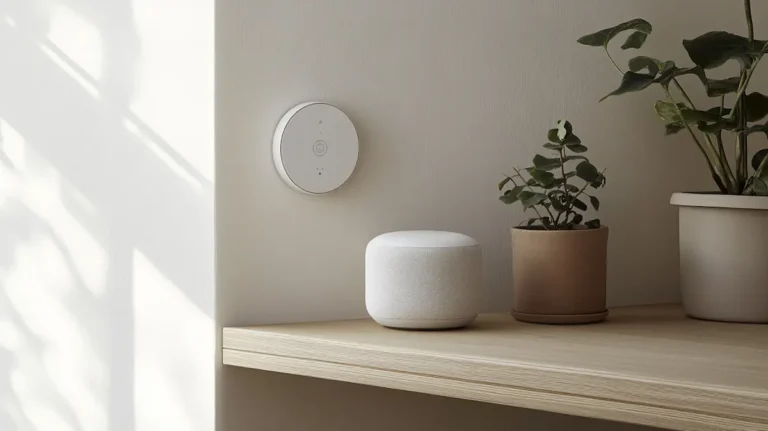
| ⟶ Aqara Wireless Mini Switch — 3-Action Zigbee Button (Single, Double, Long Press) · Affiliate link A compact 45×45mm wireless button that mounts via adhesive sticker — no wiring, no installation. Three different actions per button (single press, double press, long press), each configurable to trigger a different scene or device. Works with Apple HomeKit, Google Home, and Alexa. Battery life approximately 2 years. The minimal white square design is the closest widely-available button to the aesthetic visible in the article’s MJ images — barely visible against a white wall, reads as an architectural detail rather than a consumer device. Why this product: This product is in the article’s images — a small white square button mounted beside a door at shoulder height. It is the right size and design for the invisible-against-white-wall aesthetic that the simplified smart home uses. Three actions per button means one device can trigger up to three different scenes. ~$15–20 · Via Amazon Note: Requires an Aqara Hub (sold separately). This is an affiliate link — the only affiliate product in this article. |
For households using Philips Hue lighting — a physical dimmer that does not cut power to the smart bulb:
| → Philips Hue Dimmer Switch V2 — 4-Button Wireless Scene Controller · Editorial recommendation — no commercial relationship A four-button wireless dimmer switch that communicates directly with Philips Hue bulbs via Zigbee — without cutting mains power to the bulb. This means the bulb remains connected to the network and responsive to automations and app commands, while the physical button gives every household member a working light control. The magnetic backing allows it to mount over an existing wall switch or beside it. Compatible with all Hue bulbs and the Hue Bridge. Why this product: This product solves the most common Hue household frustration: household members turning off the wall switch (which cuts power to smart bulbs, making them unresponsive to automations). The Hue Dimmer sits over the wall switch, accepting the physical press without cutting power — the bulb stays live, the automation continues to run. Critical for any Hue household with more than one person using the lights. ~$25–30 · Via Philips Hue |

The Simplified Setup: What It Looks Like When It Is Done
The simplified smart home does not look like an absence. It looks like a set of deliberate choices — devices that each have a clear purpose, automations that run reliably without attention, and an interface that every household member understands. The following is a reference picture of what this looks like for a typical household.

| Area | Device | Controls | Purpose |
| Living room | Tunable white smart bulb × 2 in table lamps | Evening automation + voice command | Daily rhythm lighting: focus in daytime, warm amber from 19:30 |
| Living room | Smart plug on entertainment system | Scheduled off at 23:00 | Standby elimination — automatic, invisible |
| Bedroom | Tunable white smart bulb in bedside lamp | Wake automation + scene button beside bed | Gradual wake light; good night button |
| Hallway | Motion sensor + corridor bulb | Presence trigger | Auto-on when walking through; auto-off after 2 minutes |
| Entry | Scene button by front door | Physical press | Away mode: all lights off, heating down, plugs off |
| Whole home | Smart thermostat | Scheduled 24-hour program | Circadian temperature — morning, daytime, evening, sleep |
| Whole home | Ecosystem hub (Echo Dot / HomePod mini) | Voice + app | ‘Good morning’, ‘Good night’, status checks |
Seven categories of device. One ecosystem app for daily control. Two physical buttons at the main interaction points. A naming convention applied consistently. Notifications limited to security and safety. This is the simplified smart home — not the smallest possible, but the most reliably liveable.
"The simplified smart home is not one that has had everything removed. It is one where everything that remains has an obvious purpose and works without requiring anyone's attention."
→ If the setup is too complicated to simplify from within — how to fix an overcomplicated smart home from scratch: → How to Fix an Overcomplicated Smart Home

Simplification Is Editing, Not Deleting
The process of simplifying a smart home is not a reduction — it is an edit. The audit identifies what can be removed. The consolidation step identifies what should be kept and unified. The naming and notification cleanup makes the kept devices work better. The physical controls make them accessible to everyone. Together, these steps produce a home that has the same devices it had before — or fewer — but that works significantly better for the people who live in it.
The measure of a simplified smart home is not device count. It is whether any household member, asked unexpectedly to adjust the heating or turn off the living room lights, can do so without assistance. If the answer is yes — the simplification has succeeded.
⟶ The devices most worth keeping and rebuilding around after simplification: Must-Have Smart Home Devices for a Calm Lifestyle