

Choosing the Right Smart Home Ecosystem
The question of which smart home ecosystem to build around is often presented as a technical one: which platform has better features, wider device compatibility, or more advanced automation. For the calm smart home, the relevant question is different. It is: which platform will create the least friction in daily use, require the least ongoing management, and be the most likely to keep working reliably years from now? This guide answers that question specifically.
What a Smart Home Ecosystem Actually Is
A smart home ecosystem is the combination of a voice assistant, a smartphone app, and a set of underlying protocols that connect and coordinate smart devices in a home. The ecosystem does three things: it provides a way to control devices (voice commands, app, automations), it provides a way for devices to communicate with each other (so that a motion sensor can trigger a light), and it provides a hub for the automations that run the home automatically.
The three major ecosystems are Amazon Alexa, Google Home, and Apple HomeKit. A fourth option — Matter, the relatively new cross-manufacturer standard — is not a standalone ecosystem but a compatibility layer that increasingly allows devices to work across all three. Understanding the practical differences between these platforms is the first step toward making a choice that supports a calm rather than a complicated home.
Disclaimer & transparency
This article was created with the assistance of AI tools and assembled and edited by a human editor. While care has been taken to ensure accuracy, I cannot personally verify every technical detail. The information provided here is intended as a general guide, not as professional or technical advice. Always verify compatibility with your specific devices and systems before purchasing or installing anything described in this article.
Affiliate disclosure: This site participates in the Amazon Associates Programme and the Etsy Affiliate Programme. If you purchase through some of the links, at no extra cost to you, I may earn a small commission. I only recommend products I believe are genuinely suitable for the use case described.
Why the choice matters more than people expect
The practical consequence of choosing an ecosystem is not felt immediately — at the point of setup, all three platforms are broadly similar in what they offer. It becomes apparent over time: when you want to add a new device and find it is not compatible with your platform; when you try to build an automation and find it requires an app the rest of your household does not use; when a manufacturer discontinues support for the protocol your devices rely on. These are the long-term friction points that the ecosystem choice creates or prevents.
The calm smart home approach to this choice: pick one ecosystem and commit to it. The worst outcome is a home split between two or three platforms, each managing different devices, none of them talking to the others. The second-worst is choosing an ecosystem and then abandoning it for another when the first adds a friction. The best outcome is a consistent, single-platform setup that accumulates reliability and automation capability over time.
"Choosing an ecosystem is a long-term decision. Choose the one you are most likely to still be using in five years, not the one with the most impressive launch feature set."
The Three Platforms: An Honest Comparison
The following comparison focuses on the qualities that matter for a calm, consistently functioning smart home — not on the feature sets that marketing material emphasizes.
Amazon Alexa
Strengths: The broadest device compatibility of the three platforms. More third-party smart home devices are certified for Alexa than for any other single ecosystem. The Alexa app’s routine builder is among the most accessible for non-technical users — the visual interface makes it straightforward to build the morning, evening, and away automations described elsewhere on this site. Routines can combine multiple devices, multiple conditions, and multiple actions in a single trigger.
Limitations: Relies primarily on cloud processing — automations require an internet connection to run. Amazon’s retail business means the Alexa app surfaces product recommendations more prominently than the other platforms. Voice recognition can be less accurate in non-English languages compared to Google Assistant.
Best for: Households that want the widest device selection, the easiest automation building, and are primarily English-speaking. Anyone already using Amazon Prime services will find the integration natural.
Google Home
Strengths: Google Assistant’s natural language processing is among the most capable available — it handles conversational queries, contextual follow-up questions, and multilingual households particularly well. The Google Home app is clean and well-designed for basic device management. Integration with other Google services (Calendar, YouTube, Maps) is seamless for households already using the Google ecosystem.
Limitations: Google’s automation tools (called ‘Routines’ in the Google Home app) are less flexible than Alexa’s for complex multi-device scenarios. Google has discontinued or significantly changed several smart home products and integrations over the years — the platform’s long-term consistency has been less reliable than Apple’s or Amazon’s.
Best for: Non-English-speaking households, and those already deeply embedded in the Google ecosystem (Android phones, Google Calendar, Gmail, YouTube). For multilingual homes, Google Assistant’s language flexibility is a significant practical advantage.
Apple HomeKit
Strengths: The strongest privacy architecture of the three platforms — automations can run locally through the HomePod mini or Apple TV 4K as a home hub, without sending data to Apple’s cloud. The Home app’s user interface is clean and consistent with iOS design conventions. HomeKit-certified devices are vetted for security compliance before certification, which provides a quality floor that is absent from the other platforms.
Limitations: Requires Apple devices for full functionality — the Home app is iOS/macOS only. The automation tools are less powerful than Alexa’s for complex multi-device routines. The device ecosystem is smaller than Alexa’s, and HomeKit certification costs mean fewer budget devices are available.
Best for: Households where everyone uses Apple devices (iPhone, iPad, Mac). Households where privacy is the primary concern. Anyone who values integration with the Apple Watch for home control.
| Amazon Alexa | Google Home | Apple HomeKit | |
| Device compatibility | Widest — most third-party devices | Wide — strong mainstream device support | Narrowest — certified device pool |
| Automation capability | Most flexible — best routine builder | Good for basic routines; less complex | Functional but less powerful than Alexa |
| Local processing | Mostly cloud-dependent | Mostly cloud-dependent | Local via HomePod mini or Apple TV 4K |
| Privacy | Standard — data processed on Amazon servers | Standard — data processed on Google servers | Best — strongest local processing + audit |
| Non-English languages | Weaker | Best | Good |
| Required devices | Any Alexa-compatible speaker | Any Google-compatible speaker | Apple device (iPhone/iPad) + hub |
| Best match for | Device variety + easy automation | Multilingual + Google ecosystem | Apple households + privacy priority |
→ A deeper comparison of the three ecosystems specifically from a calm-living perspective: → Apple vs Google vs Alexa (Calm Perspective)
The Matter Standard: What It Changes and What It Does Not
Matter is an open smart home connectivity standard developed by the Connectivity Standards Alliance, backed by Amazon, Google, Apple, and many device manufacturers. A Matter-certified device can, in principle, be controlled by any of the three major ecosystems simultaneously — it is not locked to any single platform. This changes the ecosystem choice calculation in one specific way: it reduces the risk of choosing an ecosystem and then being unable to use a specific device.
What Matter does
- Interoperability: A Matter-certified Tapo bulb, for example, can be controlled by Alexa, Google Home, and Apple HomeKit simultaneously. You do not need to choose one. Adding the bulb to all three platforms takes minutes.
- Local processing: Matter devices communicate directly with the ecosystem hub on your local network, without requiring a cloud server as intermediary. This makes Matter-based automations more reliable during internet outages.
- Simplified setup: Matter uses a unified QR code commissioning process — scan once, add to your preferred ecosystem, done.
What Matter does not do
Matter does not make all smart home devices ecosystem-agnostic. Only Matter-certified devices benefit from this interoperability; the majority of smart home devices still use proprietary protocols. Matter also does not unify the automation and routine-building tools of different ecosystems — a Matter bulb connected to both Alexa and Apple HomeKit still uses Alexa Routines or HomeKit Automations to run schedules; it does not unify the two apps.
The practical implication: if you are starting a smart home today, prioritize Matter-certified devices where available. They protect against ecosystem lock-in. But the ecosystem choice — which app you use as your primary hub — remains important for the automation and routine-building experience, which is where the real differences between platforms lie.
→ Whether to use one app or multiple apps to manage a smart home: → One System vs Multiple Apps (What Works Best?)
How to Choose: A Framework for Calm Households
Rather than comparing feature lists, the following framework approaches the ecosystem choice from the perspective of what will create the least friction in your specific household.
Question 1: What smartphones does your household use?
This is the single most decisive question. If everyone in the household uses iPhones, Apple HomeKit is the natural choice — the Home app is built into iOS, every device already has it, and the integration with other Apple services is seamless. If your household is mixed (some iPhone, some Android) or primarily Android, Apple HomeKit’s reliance on iOS creates friction from day one. In this case, Alexa or Google Home is the more practical choice.
Question 2: What existing smart devices do you already own?
If you already own smart devices — bulbs, plugs, a thermostat — check which ecosystems they support. Choosing an ecosystem that requires replacing existing devices is an unnecessary additional cost. If your devices support Matter, they will work with any ecosystem and this question becomes irrelevant.
Question 3: How important is automation flexibility to you?
Light use: voice commands and app control, occasional schedules. All three platforms handle this equally well. Choose based on Question 1.
Medium use: regular morning/evening automations, away mode, basic routines. Alexa and Apple HomeKit both handle this well. Google Home is adequate.
Advanced use: complex multi-device automations, conditonal logic, location-based triggers across multiple household members. Alexa has the most accessible advanced routine builder. For maximum flexibility without an app at all, Home Assistant (free, self-hosted) is the most powerful option — but requires significantly more technical setup.
Question 4: How much do you prioritize privacy?
If data privacy is a priority — specifically, the question of how much of your home’s activity data is processed on third-party cloud servers — Apple HomeKit with a HomePod mini or Apple TV 4K hub is the most defensible choice. Its local processing means that automations run on your home network rather than routing through Apple’s cloud. Alexa and Google Home process automations primarily in the cloud.
| Your household | Recommended ecosystem | Primary reason |
| Everyone uses iPhones | Apple HomeKit + HomePod mini | Seamless iOS integration; local processing |
| Mixed iPhone/Android | Amazon Alexa | Widest compatibility; best automation tools |
| Primarily Android; Google services heavy | Google Home | Natural Android/Google integration; best voice NLP |
| Privacy is primary concern | Apple HomeKit | Strongest local processing; no cloud dependency for automations |
| Budget-first; widest device choice | Amazon Alexa | Most budget devices are Alexa-compatible |
| Non-English speaking household | Google Home | Best multilingual voice recognition |
| Already own Alexa/Google/Apple devices | Match existing platform | Avoid replacing working hardware |
The Hub Device: Where the Ecosystem Lives in Your Home
Each ecosystem requires a physical device to serve as its home hub — the always-on device that receives voice commands, processes automations, and coordinates the network of connected devices. The hub device is also the primary interface through which household members interact with the smart home in real time. Its design, placement, and audio quality matter.
For Amazon Alexa — the most compact hub at a budget price point:
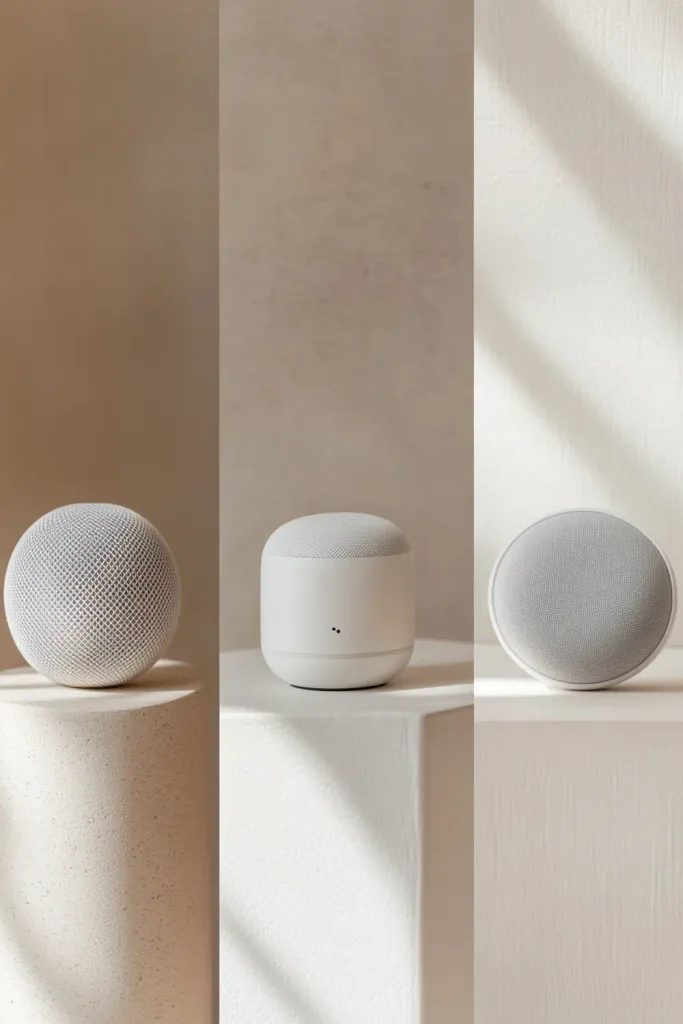
| ⟶ Amazon Echo Dot (5th Gen) — Compact Smart Speaker with Alexa · Affiliate link The smallest Alexa hub device: a compact sphere with 360-degree sound, a built-in temperature sensor, a built-in motion sensor, and the microphone array needed for reliable across-room voice recognition. At its price point it is the lowest-friction entry to a functioning Alexa ecosystem. The compact size means it reads as a design object rather than a device in a minimal interior — place it on a shelf or counter and it almost disappears. The temperature and motion sensors are functional for Alexa routines. Why this product: The starting hub for an Alexa ecosystem. Its small size makes it suitable for placement in living areas, bedrooms, or kitchens without visual disruption. Buy this before any other Alexa devices — it is the thing that makes the other devices useful. ~€50 / $50 (often on sale ~€28–35) · Via Amazon · https://www.amazon.com/dp/B09B94RL1S Note: This is an affiliate link. The Echo Dot is included as the affiliate product in this article because it is the correct starting point for an Alexa ecosystem and Amazon is the natural purchase channel. |
For Apple HomeKit — the hub that enables local automation processing:
| → Apple HomePod mini — Smart Speaker, Apple HomeKit Hub, Thread Border Router · Editorial recommendation — no commercial relationship At 3.3 inches tall, the HomePod mini is the most compact hub in Apple’s range. It acts as the Apple HomeKit home hub — enabling automations to run locally on your home network without cloud dependency — and also functions as a Thread border router, supporting the next-generation smart home protocol that increasingly underpins Matter devices. Available in five colors. The woven mesh design is considered one of the best-looking smart speakers in its category. Why this product: The HomePod mini is essential for anyone choosing Apple HomeKit — without a HomePod mini or Apple TV 4K as a home hub, HomeKit automations require a phone to be at home to trigger. The Thread border router function makes it future-compatible with the growing range of Thread/Matter devices. Its compact size and design quality match the minimal aesthetic described throughout this site. ~$99 / €99 · Via Apple |
For Google Home — the compact voice hub with the best language capability:
| → Google Nest Mini (2nd Gen) — Smart Speaker, Google Home Hub · Editorial recommendation — no commercial relationship The compact Google home hub: a flat disc speaker covered in fabric made from recycled plastic bottles. The second-generation Nest Mini has 2× stronger bass than the original. Wall-mountable with an integrated back plate. Compatible with thousands of smart home devices through the Google Home app. Particularly strong for non-English voice commands and multilingual households. The compact disc form integrates unobtrusively into any room. Why this product: The standard entry point to a Google Home ecosystem. Its strongest use case is in multilingual households or those already embedded in Android/Google services, where its natural language processing and service integrations are most useful. The compact disc design sits naturally on a shelf or counter without visual bulk. ~$49 / £49 / €49 · Via Google Store Note: The Google Nest Mini is the 2nd-generation model. Google has discontinued several previous smart home products; always verify current availability and support status on the Google Store before purchasing. |
After the Choice: Keeping It Simple
Choosing an ecosystem is the beginning of the setup decision, not the end. The most common path to a complicated and stressful smart home is: choosing a platform, buying several devices, installing them with default settings, and then leaving the configuration there indefinitely. The configuration that comes out of the box from any platform is designed for broad appeal rather than for a specific household’s patterns. It requires deliberate simplification to become genuinely useful.
The three simplification steps to take immediately after setup
- Turn off all default notifications. All three platforms enable status notifications by default. Disable every notification that is not a genuine security or safety alert. A notification every time an automation runs is noise, not information.
- Remove devices you are not using. A smart home app cluttered with devices you installed once and forgot about is more confusing to navigate than a smaller, accurate representation of what you actually use. Remove unused devices from the app.
- Name devices consistently. Voice commands depend on device names. If the same lamp is called ‘Living room lamp’ in one place and ‘Floor light’ in another, voice control fails. Establish a naming convention (room + type: ‘Bedroom lamp’, ‘Kitchen ceiling’, ‘Office desk’) and apply it consistently across all devices and automations.
→ The complete guide to simplifying a smart home that has become complicated: → How to Simplify Your Smart Home Setup
Choose Once. Build Slowly. Adjust Rarely.
The ecosystem question has a correct answer for your household — it is the platform that fits the devices you already use, the language you speak, and the level of automation complexity you want to maintain. For most households, the answer becomes apparent within the first two questions of the framework in §4: which phones does your household use, and what devices do you already own.
Once chosen, the right approach is to build the smart home slowly — one device category at a time, calibrated and working before the next addition — and to adjust the configuration rarely. A home that has been running the same reliable automations for twelve months is more valuable than a home that has been enthusiastically expanded every few weeks and is now too complex to troubleshoot or explain to other household members.
For the broader context: Smart Calm Living: How Smart Homes Create Calm, Not Chaos. For the devices to build around the ecosystem you have chosen:
⟶ The devices most worth adding to any ecosystem for a calm lifestyle: Must-Have Smart Home Devices for a Calm Lifestyle