Smart Home Basics for Beginners (Calm Edition)
Most explanations of smart home technology begin with the technology. This one begins with a different question: what do you actually need to understand in order to make good decisions — and nothing more? There is a version of smart home basics that leaves you more confident than before. This is that version.
This article is part of the Smart Calm Living: How Smart Homes Create Calm, Not Chaos series. If you are entirely new to smart homes, the companion article What Is a Smart Home? (Beginner Guide Without Overwhelm) covers the definition and the broad picture. This article goes one level deeper: the specific technical vocabulary, the underlying mechanics, and the decision frameworks that determine whether a smart home setup works smoothly or not.
Why the Basics Matter More Than the Products
The smart home industry wants you to skip the basics and go straight to the products. It is not in a manufacturer’s interest for you to understand how Wi-Fi differs from Zigbee before you buy, or to know that the inexpensive smart bulbs from one brand will require a separate hub that costs more than the bulbs themselves. The basics are the information that makes you a better buyer — which is precisely why they are rarely foregrounded in product marketing.
The other reason basics matter is more practical: without them, troubleshooting is impossible. When a device stops responding, when an automation fires at the wrong time, when two devices that are supposed to work together inexplicably don’t — the difference between someone who understands the fundamentals and someone who does not is the difference between a five-minute fix and two hours of frustrated searching through support forums. The basics are not just theoretical knowledge. They are the practical foundation that makes the whole system manageable.
“Understanding the basics of a smart home is not about becoming technical. It is about never being surprised — and never being at the mercy of a problem you cannot diagnose.”
The Three Layers of Any Smart Home
Every smart home, from a single smart bulb to a fully integrated architectural installation, consists of the same three layers. Understanding the layers — and the relationship between them — is the single most useful conceptual framework for anyone new to the subject.
Layer 1: The devices
Devices are the physical objects — the smart bulbs, thermostats, locks, cameras, plugs, speakers, and sensors — that constitute the ‘smart’ part of the home. Each device has two essential properties: a function (what it does physically — produces light, controls temperature, locks or unlocks, captures video) and a communication capability (the wireless protocol it uses to send and receive instructions).
The function is usually obvious and is the reason you buy the device. The communication capability is less visible but equally important — it determines what other devices and systems the device can work with, and whether it will integrate easily into a coherent setup or require its own separate infrastructure.
Layer 2: The network
The network is the communication infrastructure that connects devices to each other and to the outside world. In a home setting, this means the Wi-Fi router and, in some setups, one or more dedicated hubs or bridges. The network is the layer that most beginners underestimate — and that is responsible for the majority of smart home frustrations. A device that is too far from the router, or on a network band it does not support, or competing with too many other devices for bandwidth, will behave unreliably regardless of how well-configured everything else is.
Understanding the network layer does not require deep technical knowledge. It requires awareness of three things: which wireless protocol each device uses, whether that protocol requires a dedicated hub, and the approximate range and reliability of the signal in the relevant part of the home.
Layer 3: The control
The control layer is how people interact with the smart home: apps, voice commands, physical switches and buttons, and — most powerfully — automations that trigger actions without any human input at all. The control layer is the only one the average user sees on a day-to-day basis, which is why it tends to receive the most attention in product marketing. But it is completely dependent on the device and network layers beneath it. A beautifully designed app controlling an unreliable device on a weak network connection is a worse experience than a plain app controlling a reliable device on a strong one.
| Layer | What it is | What can go wrong | How to manage it |
| Devices | The physical smart objects in the home | Wrong protocol for your setup; poor build quality | Research protocols before buying; choose established brands |
| Network | Wi-Fi router + hubs or bridges if needed | Weak signal; wrong frequency band; too many devices | Check range; use 2.4GHz for smart devices; add hub if needed |
| Control | Apps, voice, automations, physical buttons | Too many apps; unreliable automations; poor UX | Single ecosystem; default notifications off; simple automations first |
Wireless Protocols: The One Technical Detail Worth Understanding
Of all the technical vocabulary in the smart home world, wireless protocols are the one area where a basic understanding pays the most consistent dividends. Protocol choice determines compatibility, reliability, range, power consumption, and whether a hub is required — which means it determines a significant portion of the cost and complexity of any setup.
The good news: you do not need to understand how any of these protocols work at a technical level. You need to understand their practical characteristics — what they are good for, what their limitations are, and which one is right for which use case.
Wi-Fi
What it is: The same wireless standard your phone and laptop use. Smart devices with Wi-Fi connect directly to your home router — no hub required.
Good for: Devices where you want direct, fast control — cameras, video doorbells, smart speakers. Setup is simple: connect to the app, enter Wi-Fi password, done.
Limitations: Higher power consumption than alternatives (relevant for battery-powered devices). Adds load to the home Wi-Fi network. Range is limited by router signal strength. Only works on 2.4GHz for most smart devices — a common setup problem when phones are on 5GHz during installation.
Calm verdict: Best for high-bandwidth devices (cameras, doorbells) and for households with very few smart devices. Becomes less reliable as the number of connected devices grows.
Zigbee
What it is: A low-power mesh network protocol designed specifically for smart home devices. Requires a dedicated hub (often included with device kits, or available as a standalone purchase).
Good for: Lighting, sensors, smart plugs — any device that needs to be reliable, long-lasting on battery, and part of a large network. Zigbee devices form a mesh: each device acts as a signal repeater for others, so range improves as you add more devices.
Limitations: Requires a hub. Different manufacturers’ Zigbee implementations are not always compatible with each other, despite using the same underlying protocol.
Calm verdict: Excellent for a larger smart home with many devices, particularly lighting. The upfront hub cost pays back in reliability. Philips Hue, IKEA Dirigera, and many others use Zigbee.
Z-Wave
What it is: Similar in concept to Zigbee — a mesh network designed for home automation — but operating on a different frequency (908MHz in the US, 868MHz in Europe) that avoids interference with Wi-Fi.
Good for: Smart locks, thermostats, security sensors — devices where interference-free reliability is critical. Z-Wave has better cross-manufacturer compatibility than Zigbee due to stricter certification requirements.
Limitations: Requires a hub. Fewer consumer devices available than Zigbee or Wi-Fi. Typically more expensive per device.
Calm verdict: Worth considering for security and climate devices where reliability is non-negotiable. Less relevant for lighting.
Matter — the new universal standard
What it is: A new open standard, launched in 2022, developed by Apple, Google, Amazon, and others specifically to solve the compatibility problem in smart homes. A Matter-certified device works with any ecosystem that supports Matter — which all the major platforms now do.
Good for: Future-proofing any purchase. If a device is Matter-certified, it will integrate with your primary ecosystem regardless of which one you choose, and will remain compatible as the ecosystem evolves.
Calm verdict: When buying new devices, always check for Matter support. It is the clearest signal that a device will remain compatible, manageable, and supported over the long term.
Hubs, Bridges, and Controllers: When You Need One and When You Don’t
One of the most common sources of confusion for smart home beginners is the category of devices variously called hubs, bridges, controllers, or gateways. They are not the same thing, and understanding the difference prevents both unnecessary purchases and unnecessary frustration.
What a hub actually does
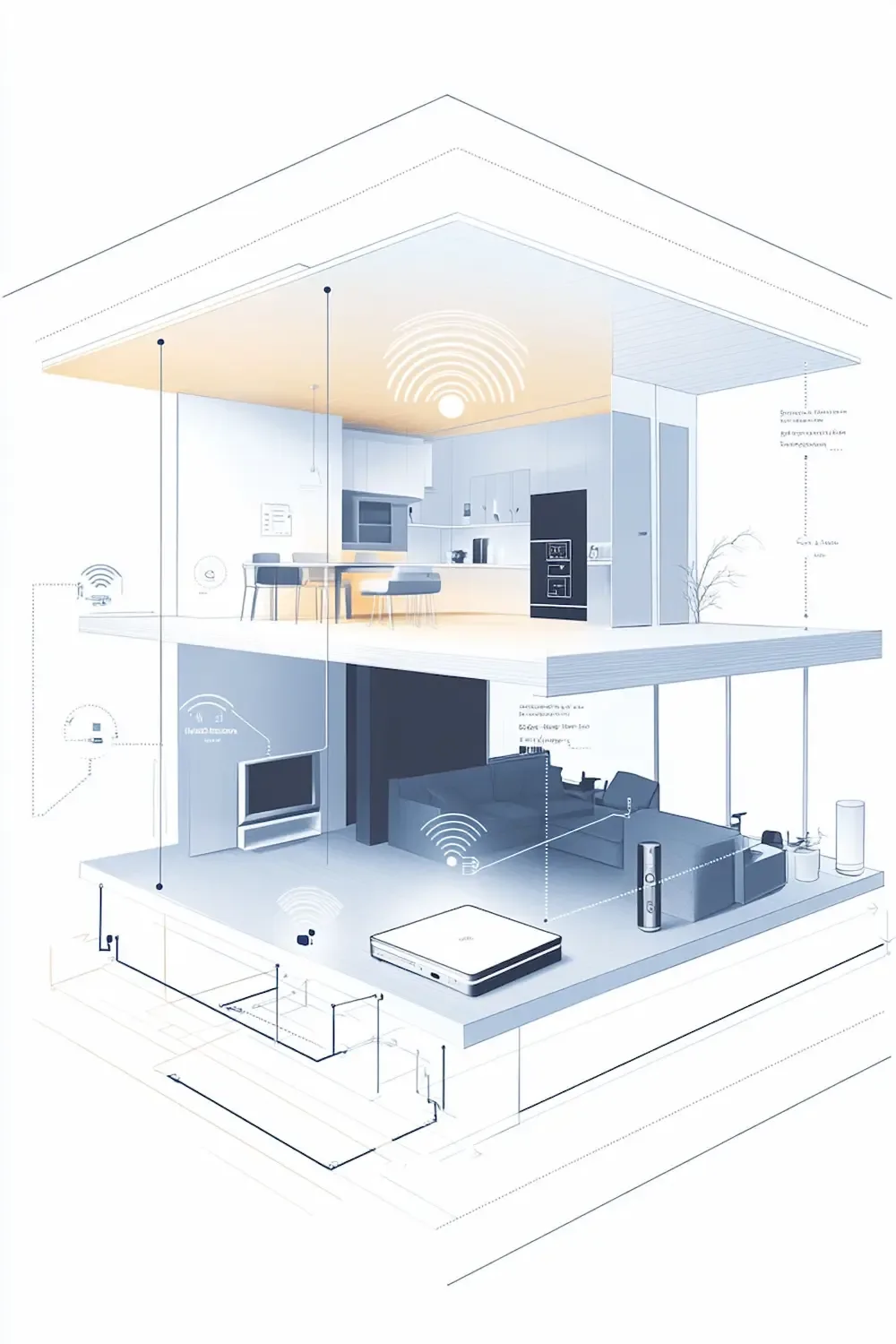
A hub is a device that acts as a translator between a non-Wi-Fi protocol (Zigbee, Z-Wave, or a proprietary protocol) and your home network. Without a hub, a Zigbee bulb has no way to receive instructions from a smartphone app — the phone speaks Wi-Fi, the bulb speaks Zigbee, and the hub translates between them. With a hub, the entire Zigbee network becomes accessible through the app.
The Philips Hue Bridge is one of the most familiar examples: a small white device that plugs into your router and connects up to fifty Hue bulbs. The IKEA Dirigera is another. Many smart home platforms — SmartThings, Hubitat, Homey — offer universal hubs that can speak multiple protocols simultaneously, connecting Zigbee, Z-Wave, and Wi-Fi devices through a single interface.
When you need a hub — and when you don’t
| Your setup | Hub needed? | Reason |
| A few Wi-Fi smart devices (bulbs, plugs, thermostat) | No | Wi-Fi devices connect directly to your router |
| Philips Hue lighting system | Yes — Hue Bridge included | Hue uses Zigbee; the Bridge is the translator |
| IKEA smart home devices | Yes — Dirigera hub | IKEA uses Zigbee; hub required for full functionality |
| Many devices across multiple brands | Possibly — depends on protocols | A universal hub (SmartThings, Homey) unifies multiple protocols |
| All Matter-certified devices | No dedicated hub needed | Matter devices connect to any compatible ecosystem directly |
| Large home with many Zigbee devices | Yes — hub improves reliability | Mesh network via hub is more stable than many individual Wi-Fi connections |
The practical guidance: start with Wi-Fi devices if you are adding one or two smart devices and do not want to buy additional hardware. Move to a hub-based setup when you have more than five or six devices, when you want to use Zigbee or Z-Wave for their reliability advantages, or when you want to unify devices from multiple brands under one platform.
Device Categories: What Each Type Actually Does
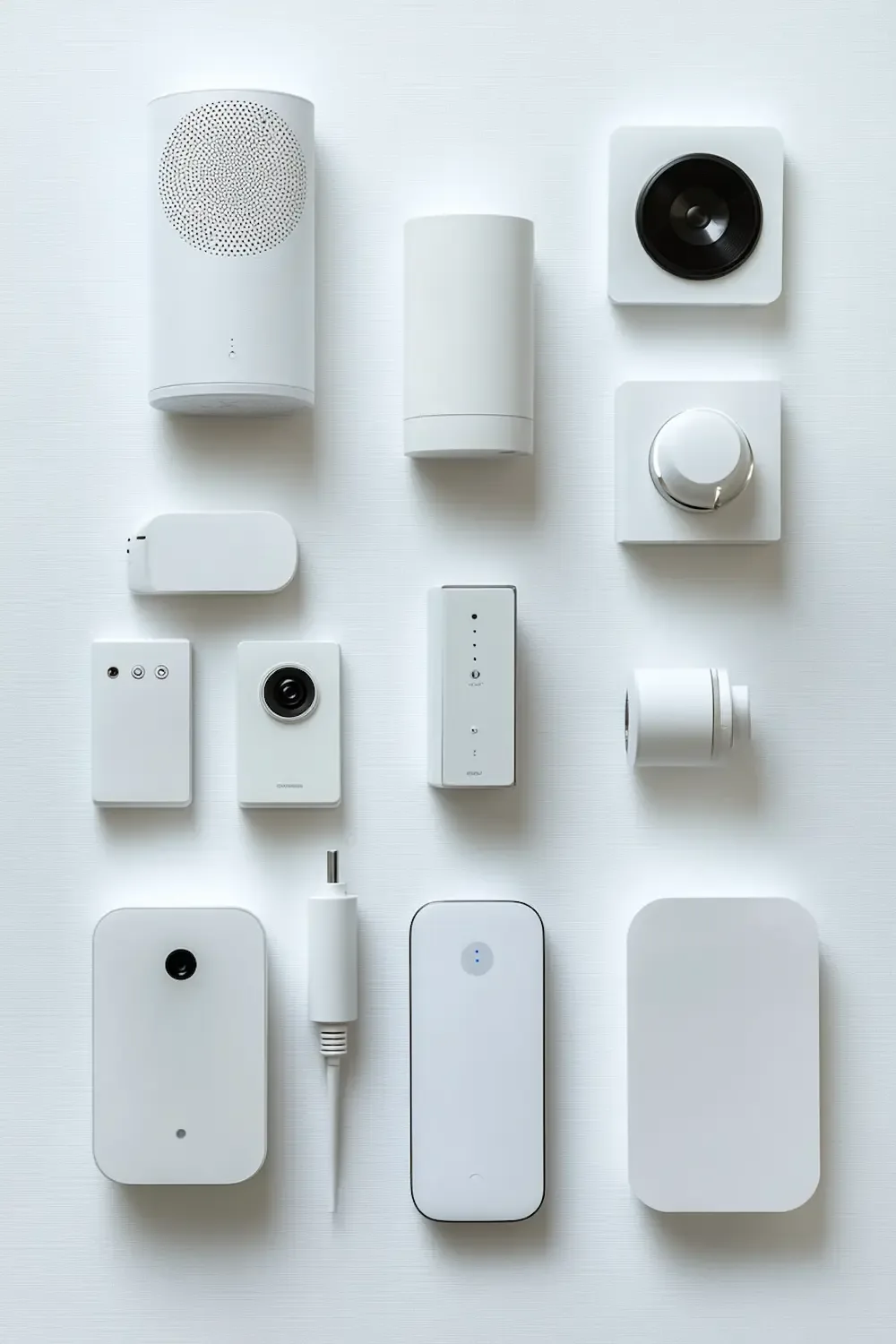
Smart home devices are marketed in a bewildering variety of categories, names, and configurations. Beneath the marketing, most devices fall into a small number of functional categories, each of which solves a specific type of problem and has specific characteristics that make it more or less suitable for a calm, minimal smart home approach.
Lighting
Smart bulbs: Replace a standard bulb; connect directly (Wi-Fi) or through a hub (Zigbee). Control brightness, color temperature, and color. The most popular smart home entry point. Limitation: the bulb becomes ‘dumb’ if someone turns off the physical switch, breaking app and automation control.
Smart switches and dimmers: Replace the wall switch rather than the bulb. Work with any standard bulb; maintain physical control regardless of smart home status. More complex to install (requires switching off the circuit) but superior for households where other members need reliable physical control.
Smart light strips: Flexible LED strips that can be placed along surfaces, under furniture, or behind screens. Useful for ambient lighting effects and circadian light management.
Climate
Smart thermostats: The highest-impact, best-evidenced smart home investment. Replace the existing thermostat; learn schedules; adjust remotely; integrate with presence detection to lower heating when the home is empty. Installation typically takes 30–60 minutes without an electrician.
Smart radiator valves (TRVs): For homes with radiator heating systems. Replace the standard thermostatic radiator valve; allow room-by-room temperature control without a full heating system replacement.
Security and access
Video doorbells: Replace or augment the existing doorbell; show video of whoever is at the door on a smartphone, anywhere. One of the most immediately satisfying smart home additions for households that frequently miss deliveries or have security concerns.
Smart locks: Replace the door lock cylinder or add a device to the existing lock. Allow remote locking and unlocking, keypad codes, and presence-based automation. Particularly valuable for households that regularly wonder whether they locked the door.
Cameras: Indoor and outdoor. Provide monitoring and motion-triggered recording. The category with the highest potential for notification overload — careful configuration of motion sensitivity and notification rules is essential.
Sensors
Motion sensors: Detect movement in a space; trigger automations (lights on when entering a room, lights off after a period of no movement). The most useful trigger device for lighting automation.
Door and window sensors: Detect open/closed state. Useful for security alerts, for automations that adjust heating when windows are open, and for notifications when specific access points are used.
Temperature and humidity sensors: Monitor environmental conditions; trigger automations or alerts when thresholds are reached. Complement smart thermostats for multi-room climate awareness.
Smart plugs
Perhaps the most versatile and underestimated smart home device. A smart plug makes any standard plugged-in appliance remotely controllable and schedulable. A floor lamp becomes a smart lamp. A coffee machine becomes part of a morning routine. An old fan becomes energy-monitored. Smart plugs are the lowest-cost, lowest-commitment entry point for any specific appliance.
→ A curated selection of the five devices that deliver the most meaningful calm in daily life: → The First 5 Smart Devices You Actually Need
→ Which devices make the most difference specifically for a calm lifestyle — curated by use case: → Must-Have Smart Home Devices for a Calm Lifestyle
Ecosystems and Platforms: The Framework Everything Runs Within
A smart home ecosystem is the platform that unifies your devices — the app you control everything through, the voice assistant you talk to, and the automation engine that makes things happen without your input. Choosing an ecosystem is the single most consequential decision in building a smart home, because it determines compatibility, long-term maintainability, and the daily experience of living with the technology.
The important thing to understand upfront: you do not need to choose an ecosystem before you start. You need to choose one before you have more than three or four devices. Up to that point, individual manufacturer apps are sufficient. Beyond it, managing each device through its own separate app becomes its own source of friction.
The four main options
| Ecosystem | Voice assistant | Best for | Key strength | Key consideration |
| Apple Home (HomeKit) | Siri | iPhone users, privacy-conscious households | Runs locally — works without internet; strong privacy | Fewer compatible devices; Apple hardware required as hub |
| Google Home | Google Assistant | Android users, Google services users | Excellent automation logic; wide compatibility | Cloud-dependent; occasional reliability issues after updates |
| Amazon Alexa | Alexa | Maximum device compatibility; budget-first households | Widest range of compatible devices at every price point | Most commercially oriented; notification pressure built in |
| Samsung SmartThings | Works with all three | Multi-protocol households; advanced users | Supports Zigbee, Z-Wave, Wi-Fi, and Matter natively | More complex setup; less polished app experience |
The honest recommendation for beginners
If you already own a smart speaker — an Amazon Echo or a Google Nest — build around that ecosystem. If you have an iPhone and value privacy and reliability above all, Apple Home is the right choice. If you are starting from scratch and want the widest device compatibility at the lowest cost, begin with Amazon Alexa: buy an Echo Dot (the cheapest model) and use it as your primary control point.
The most important thing is not which ecosystem you choose but that you choose one and commit to it before your device count grows. Every device you buy thereafter should be verified as compatible with that ecosystem before purchase. One unified setup will always be calmer and more manageable than a fragmented one.
→ The next step after understanding the basics — a calm, practical plan for actually getting started: → How to Start a Smart Home Without Getting Overwhelmed

Automations: What They Are, How They Work, and the Right Way to Start
Remote control of smart devices — turning a light on from across the room, checking the thermostat from your phone — is useful. But it is not the reason smart home technology produces a meaningfully calmer home. The reason is automation: the ability to make things happen without any human input, triggered by conditions the system monitors continuously.
An automation is a rule: if this condition is met, then take this action. The condition can be a time, a location, a sensor reading, a sunrise or sunset, a device state, or a combination of these. The action can be any control operation available within the ecosystem — adjusting a device’s setting, triggering a scene, sending a notification, activating a routine.
The anatomy of an automation
Every automation has three components:
- Trigger: The condition that starts the automation. Examples: ‘It is 7:00am on a weekday.’ ‘My phone has just left the home area.’ ‘The motion sensor in the hallway has detected movement.’ ‘The sun has set.’
- Condition (optional): An additional filter that must also be true for the automation to proceed. Examples: ‘Only if someone is home.’ ‘Only if the lights are currently on.’ ‘Only between 11pm and 6am.’ Conditions prevent automations from firing in unintended circumstances.
- Action: What happens. Examples: ‘Turn on the living room lights at 40% brightness.’ ‘Set the thermostat to 16°C.’ ‘Send a notification to my phone.’ ‘Activate the Evening scene.’
The automations that actually make a calm difference
Not all automations are equal. The ones that produce the most consistent improvement in daily calm are those that eliminate recurring decisions or recurring friction — tasks that previously required conscious action and that now happen invisibly. Based on consistent experience across household types, the highest-value automations are:
| Automation | What it eliminates | Complexity to set up |
| Lights off when you leave home | The uncertainty of ‘did I leave the lights on?’ | Low — location trigger in app |
| Heating lower when home is empty | Continuous energy waste and manual adjustment | Low — location trigger or schedule |
| Evening lighting warm-down (cool to amber) | Manual light adjustment as evening progresses | Low — time or sunset trigger |
| Morning lights gradual brightening | The jolt of switching on bright light on waking | Low — time trigger with dimming scene |
| Motion lights in hallway and bathroom | Reaching for switches in the dark | Low-medium — motion sensor required |
| Away mode (all lights off, heating low, lock check) | The mental checklist when leaving the house | Medium — location trigger + multiple actions |
The calm approach to building automations
The mistake most beginners make with automations is building too many too quickly — creating a system of rules that are individually reasonable but collectively produce unexpected interactions, edge cases, and moments where the home does something none of the rules were explicitly designed to do.
The calm approach: build one automation at a time. Live with it for two weeks before adding the next. Notice whether it actually helps — whether the daily friction it was designed to eliminate actually disappears, or whether the automation itself introduces a new kind of friction (a trigger that fires at the wrong time, an action that affects the wrong devices). Adjust before adding. The result is a small, well-understood set of automations that work reliably, rather than a large, poorly understood set that requires constant management.
“The best automation is one you stop thinking about within a week of setting it up. If you are still adjusting it a month later, it is not working — simplify it or remove it.”
→ Ready to take the next step? Starter kits that put all of this into practice from day one: → Best Smart Home Starter Kits (No Overwhelm)

What You Now Know
The basics of a smart home are not complicated — but they are specific, and getting them wrong reliably produces the frustration and complexity that gives smart homes a bad reputation. Getting them right produces something different: a setup that is coherent, manageable, and genuinely calming rather than demanding.
The three-layer model (devices, network, control) gives you a framework for diagnosing any problem. The wireless protocol overview gives you the vocabulary to make informed buying decisions. The hub section tells you when you need additional infrastructure and when you do not. The device categories tell you what each type of device is actually for. The ecosystem section tells you how to unify everything under a single, manageable platform. The automation principles tell you how to build the rules that make the whole thing genuinely useful.
Everything in this article is a foundation — it is not the full picture, and it is not the end of the journey. For the full context, return to the category pillar: Smart Calm Living: How Smart Homes Create Calm, Not Chaos. For the next practical steps, the articles linked throughout this piece each take one thread — the first devices, the device choices for calm living, the starting process, the ready-made kits — and follow it to a specific, actionable conclusion.