One System vs Multiple Apps (What Works Best?)
What Works Best?
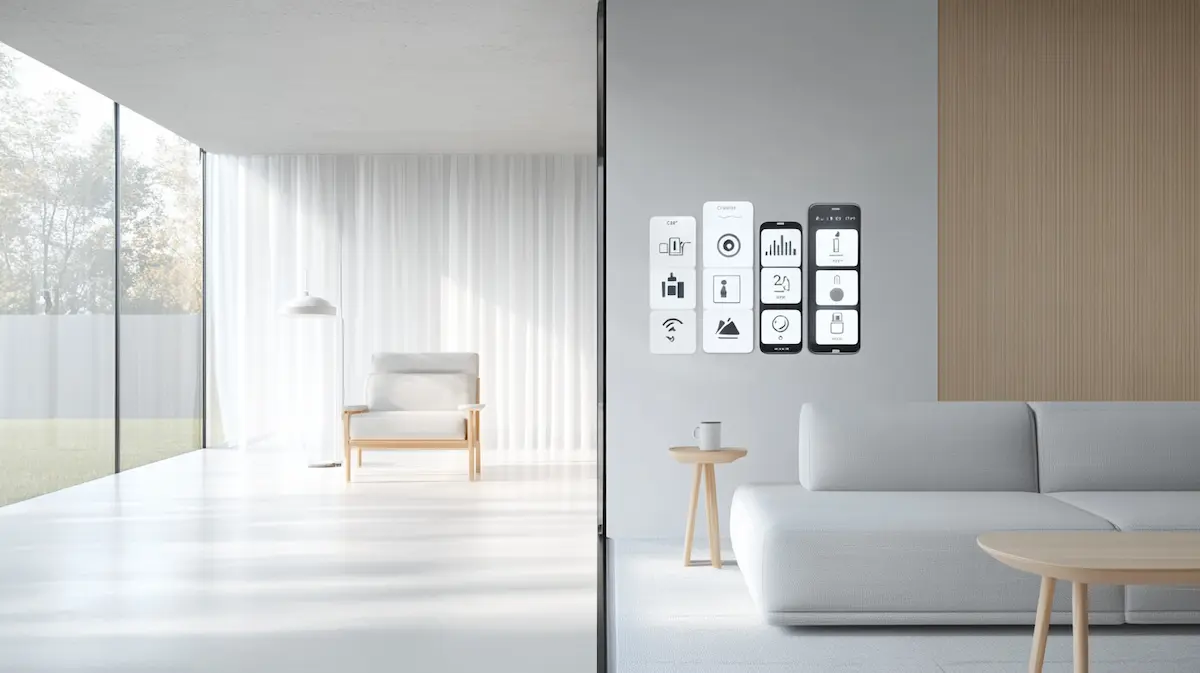
A phone with eight different smart home apps — one for the lights, one for the thermostat, one for the plugs, one for the camera, one for the lock — is one of the most common and most underestimated sources of smart home friction. This article looks honestly at when consolidating into a single system genuinely helps, when it does not fully solve the problem, and what the realistic alternative looks like for a household that already owns devices from several different manufacturers.
Disclaimer & transparency
This article was created with the assistance of AI tools and assembled and edited by a human editor. Smart home apps, hub compatibility, and integration features change frequently — always verify current functionality on the manufacturer’s website before purchasing or consolidating devices. This is a practical guide based on how smart home platforms generally work, not a professional technical specification. This site participates in the Amazon Associates Programme and the Etsy Affiliate Programme. Products marked ⟶ earn a small commission if you buy through the link. Products marked → are editorial recommendations with no commercial relationship. In this article, approximately 80% of product links are editorial.
Why Multiple Apps Become a Problem
Most smart home journeys begin with individual purchasing decisions: a smart plug bought because it was on sale, a thermostat chosen for its reviews, a doorbell selected for its camera quality. Each purchase comes with its own manufacturer app, and each app is reasonably well-designed in isolation.
The problem is not any individual app — it is what happens when five or six of them accumulate on the same phone, each requiring separate login, separate notification settings, and separate automation tools that do not talk to each other.
The specific frictions multiple apps create
- Automations cannot cross apps. A motion sensor in App A cannot trigger a light in App B without both being connected to a shared hub or ecosystem layer. Each manufacturer app is, by default, an island — useful for controlling its own devices, useless for coordinating with anything else.
- Notification settings must be managed separately, repeatedly. Each app has its own notification preferences, located in a different menu structure. Reviewing and adjusting notifications across six apps takes six times the effort of doing it in one.
- Household members face a steeper learning curve. Asking a household member to learn one app’s interface is reasonable. Asking them to learn six, each with different conventions, different icons, and different login credentials, is a meaningfully higher barrier — and the most common reason that one household member ends up as the sole operator of ‘the smart home’, with everyone else avoiding it.
- Maintenance and updates multiply. Each app requires its own updates, its own occasional re-authentication, and its own troubleshooting when something stops working. The aggregate maintenance burden of six apps is higher than the burden of one — not linearly, but compounding, because problems in one app are easy to misattribute to another.
"The issue with multiple apps is not that any single app is bad. It is that none of them know the others exist."
What ‘One System’ Actually Means in Practice
Consolidating into a single system does not mean uninstalling every manufacturer app and replacing them with one universal substitute. It means choosing one ecosystem layer — Alexa, Google Home, Apple HomeKit, or a universal hub like Samsung SmartThings — and ensuring that the devices you use daily are connected to that layer, even if their own dedicated apps remain installed for occasional advanced settings.
The two layers of a smart home app structure
The ecosystem layer: Alexa, Google Home, Apple Home, or SmartThings. This is the layer where automations are built, where voice commands are processed, and where day-to-day control happens. The goal of consolidation is to make this the only app most household members ever need to open.
The manufacturer layer: The individual app from Philips Hue, TP-Link Tapo, Ring, or any other brand. This layer is used occasionally — for firmware updates, advanced configuration options not exposed in the ecosystem layer, or initial device setup. It does not need to be used daily once a device is connected to the ecosystem layer.
The practical goal is not eliminating the manufacturer layer — most devices still require their own app for setup and firmware updates — but eliminating daily dependence on it. A well-consolidated smart home might still have six manufacturer apps installed on the primary administrator’s phone, used rarely, while every other household member only ever needs to open one app for daily use.
→ Platform-specific guidance for consolidating around Alexa, Google Home, or Apple HomeKit: → Apple vs Google vs Alexa (Calm Perspective)
When Consolidation Genuinely Helps — and When It Has Limits
Consolidating into one ecosystem layer is not a universal fix. It solves some frictions completely and others only partially. Being honest about which is which prevents the disappointment of expecting total simplification and getting something more modest.
What consolidation solves well
- Cross-device automation: Once devices from different manufacturers are connected to the same ecosystem (Alexa, Google Home, HomeKit, or via Matter), they can trigger each other in a single automation — a motion sensor from Brand A turning on a light from Brand B is straightforward once both are in the same ecosystem layer.
- Single point of daily control: Voice commands, the main app for checking status, and the primary automation builder all live in one place. Household members need to learn one interface, not several.
- Unified notification management: Notification preferences for ecosystem-connected devices can mostly be managed from the single ecosystem app, rather than visiting six separate settings menus.
What consolidation does not fully solve
- Advanced device-specific features. Ecosystem apps generally expose a subset of each device’s full feature set — enough for basic control and automation, but not necessarily every advanced setting the manufacturer app offers. A smart plug’s detailed energy monitoring graphs, for example, may only be available in its own app, not in Alexa or Google Home.
- Firmware updates. Most devices still require their own manufacturer app for firmware updates, even after being connected to an ecosystem. This is a real and persistent limitation — full app elimination is rarely achievable, only reduced daily dependence.
- Non-Matter, non-certified devices. Some devices, particularly older or budget models, may not be certified for any of the major ecosystems and must be controlled through their own app indefinitely. Before assuming consolidation is possible, check whether your existing devices are actually ecosystem-compatible.

The Universal Hub Option: Samsung SmartThings and Similar Platforms
Beyond the three major voice-assistant ecosystems, universal smart home hub platforms exist specifically to solve the multi-brand consolidation problem. Samsung SmartThings is the most widely available example: a hub and app designed to connect devices across many brands and protocols (Zigbee, Z-Wave, Wi-Fi, Matter, Thread) into a single control and automation interface, independent of which voice assistant you use.
How SmartThings fits into the consolidation question
SmartThings can function as a device-coordination layer underneath Alexa, Google Home, or Apple Home — rather than replacing them. This means a household can use SmartThings to connect a wide range of cross-brand devices into automations, while still using their preferred voice assistant for daily voice commands. For some Samsung households, this is particularly convenient: recent Samsung Smart TVs (2022 and later, Q60 series and above) include a built-in SmartThings hub, meaning no separate hub device purchase is required.
The trade-off is an additional layer of complexity at setup — connecting devices to SmartThings and then linking SmartThings to a voice assistant ecosystem is more initial configuration than connecting directly to a single ecosystem. For households with devices spanning many different brands and protocols, this initial complexity is often worth the long-term consolidation benefit. For households with only Matter-certified or single-ecosystem devices, it may be an unnecessary additional layer.
For households with devices that need a universal coordination layer, not built into an existing Samsung TV:
| → Samsung SmartThings Hub — Universal Smart Home Hub (Zigbee, Z-Wave, Wi-Fi, Matter) · Editorial recommendation — no commercial relationship | A standalone hub that connects to your home router and coordinates smart devices across multiple protocols and brands into a single SmartThings app. Functions as a Zigbee and Z-Wave bridge, and supports Matter devices. Can act as the underlying coordination layer for devices that are then also controllable via Alexa, Google Home, or Apple Home through cross-platform integrations. Particularly useful for households with a mix of older Zigbee/Z-Wave devices and newer Matter devices that need to work together in shared automations. Why this product: This is the right product specifically for households whose devices span multiple protocols and brands that do not all connect directly to a single voice-assistant ecosystem. If you already own a Samsung Smart TV from 2022 or later (Q60 series or above), check whether it already has a built-in SmartThings hub before buying a separate device — this may already be available to you at no additional cost. ~€60–70 · Via Samsung Note: Always verify current device compatibility on the SmartThings website before purchasing — supported device lists change as the platform evolves. |
A Practical Framework: Should You Consolidate?
Rather than a universal recommendation, the following framework helps determine whether consolidating into one ecosystem (with or without a universal hub like SmartThings) is worth the effort for your specific household.
| Your situation | Recommendation | Why |
| 1–3 smart devices, all from the same brand | Stay with the manufacturer app | Consolidation overhead exceeds the benefit at this scale |
| 4+ devices from 2–3 different brands | Consolidate into one ecosystem (Alexa/Google/Apple) | Cross-device automation becomes valuable; one app per household member |
| Devices spanning many brands and protocols (Zigbee, Z-Wave, Wi-Fi) | Add a universal hub (SmartThings) beneath your ecosystem | Universal hub bridges protocols that a single ecosystem cannot reach directly |
| Household members struggle to use multiple apps | Consolidate regardless of device count | The friction is about people, not just devices — fewer apps means more household members can participate |
| All devices are already Matter-certified | Light consolidation — connect to any/all ecosystems as needed | Matter devices work across ecosystems already; less urgency to fully commit to one |
The framework above is a starting point, not a rule. The right answer for any household also depends on how much time and patience exists for the initial consolidation setup — which, for a household with many existing devices, can take a focused afternoon rather than a few minutes.
→ The complete guide to simplifying a smart home that has accumulated complexity over time: → How to Simplify Your Smart Home Setup

The Practical Process: How to Consolidate Without Starting Over
Consolidating an existing smart home setup does not require removing and re-adding every device at once. The following sequence minimizes disruption while moving toward a single-system daily experience.
A practical, low-disruption sequence
- Step 1 — Choose the ecosystem layer. If you have not already, decide which of Alexa, Google Home, or Apple HomeKit will be your primary daily-use app, based on the household factors described in the ecosystem choice guide.
- Step 2 — Connect devices one category at a time. Start with the device category you use most — typically lighting or plugs — and connect those devices to the chosen ecosystem before moving to the next category. This avoids the overwhelm of trying to migrate everything simultaneously.
- Step 3 — Test each device in the new ecosystem before removing it from daily use in the old app. Confirm voice control and basic automation works correctly in the new ecosystem app before relying on it exclusively. Keep the manufacturer app as a fallback during this transition period.
- Step 4 — Rebuild automations in the consolidated app. Automations built in individual manufacturer apps generally do not transfer automatically. Recreate the important ones (morning routine, evening wind-down, away mode) directly in the ecosystem app once the relevant devices are connected.
- Step 5 — Remove manufacturer apps from the home screen, not from the phone. Once a device category is fully working in the consolidated app, move its manufacturer app off the home screen rather than deleting it entirely — it may still be needed occasionally for firmware updates or advanced settings.
"Consolidation is a process measured in weeks, not minutes. Each device category, migrated calmly and tested before the next, produces a far more stable result than migrating everything at once."
⟶ The mistakes that most commonly create stress during a consolidation or smart home setup: Smart Home Mistakes That Create Stress

Fewer Apps, Not Zero Apps
The realistic goal of this question is not a smart home that operates through a single app with zero exceptions. It is a smart home where the app you open every day is the only one most household members ever need, while the manufacturer apps that remain installed are used rarely, for setup and updates, by whoever in the household manages that side of things.
This realistic goal is achievable for almost any household, regardless of how many different brands of device are already installed. It requires a deliberate, gradual consolidation process rather than an instant fix — but the result, a home that the whole household can actually operate, is consistently worth the time invested.
→ The parent article — the complete ecosystem guide for a calm smart home: → Choosing the Right Smart Home Ecosystem